
My Gigabyte RX6750XT Gaming has been crashing for no apparent reason.
Warning
I already ran DDU. Twice.
2026-05-07
I finally decided to try and investigate this shit further, so I'm making this a public post. While opening a tab in Obsidian, with no significant GPU load sans LM Studio running in the background with qwen3.5-9b-uncensored-hauhaucs-aggressive being loaded since yesterday (and I was able to play together with this model running with no issues).
It started with a hang, with 4/5 of my screen turning gray. A minute after, black screen, driver fallback and I was able to see my desktop again.
The first harbinger of doom was a window similar to this one, except it said there was a driver "timeout", and while I was filling out the report, that crashed as well and showed me this window. 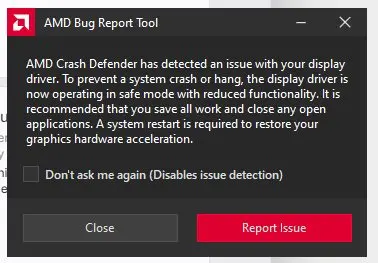
The GPU, of course, is now disabled. 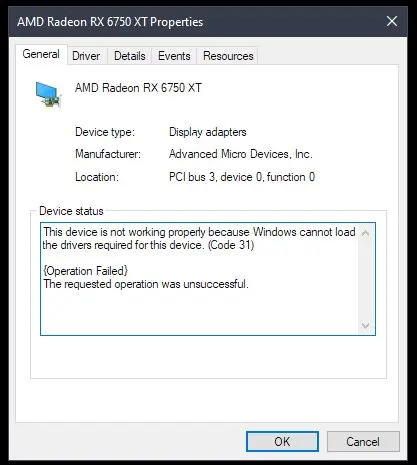
Reliability history doesn't even show the problem: 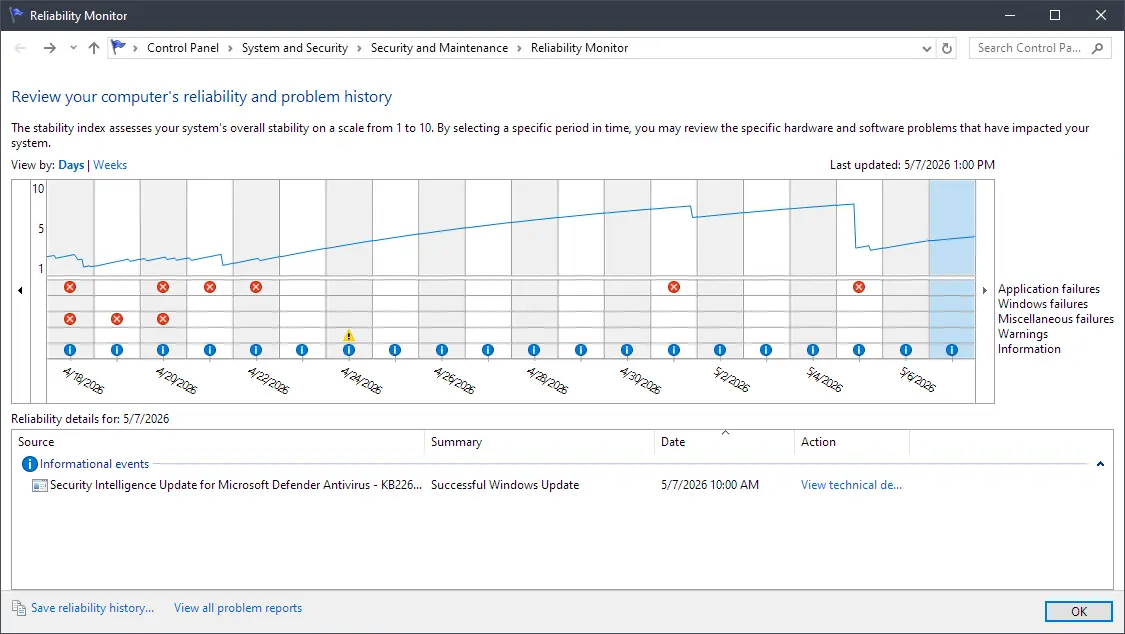
System events however is able to shed some light 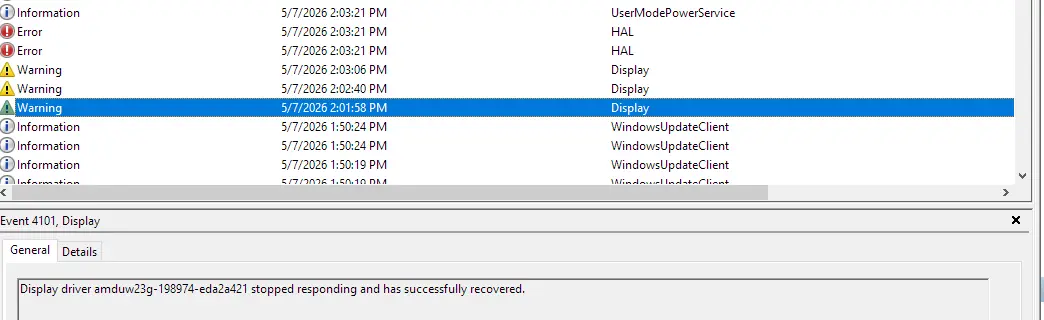
All three warnings are identical -- Display driver amduw23g-198974-eda2a421 stopped responding and has successfully recovered. The two errors above the warnings are The iommu has detected an error., and the information item is Process C:\Windows\System32\DriverStore\FileRepository\u0198974.inf_amd64_dcac9659486b668a\B025819\atieclxx.exe (process ID:2984) reset policy scheme from {8c5e7fda-e8bf-4a96-9a85-a6e23a8c635c} to {8c5e7fda-e8bf-4a96-9a85-a6e23a8c635c}
I've decided to filter the logs by (?i)amd.*|D3D.*|Direct3D.*: 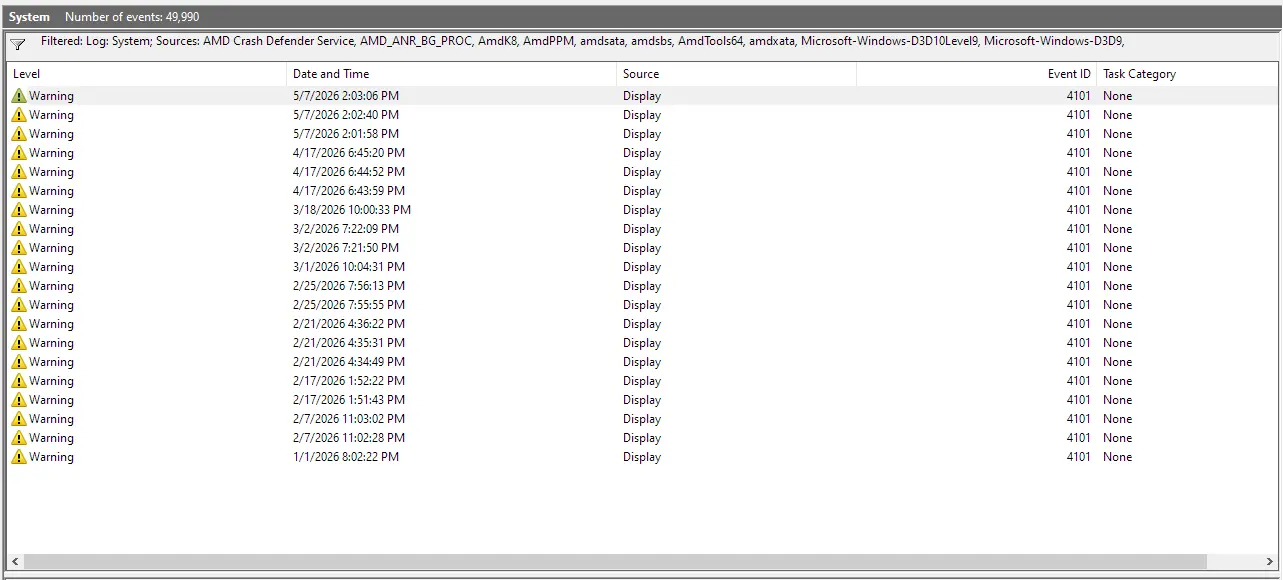
These are the messages:
Display driver amduw23g-198974-eda2a421 stopped responding and has successfully recovered.
Display driver amduw23g-198974-eda2a421 stopped responding and has successfully recovered.
Display driver amduw23g-198974-eda2a421 stopped responding and has successfully recovered.
Display driver amduw23g-195698-fece65a5 stopped responding and has successfully recovered.
Display driver amduw23g-195698-fece65a5 stopped responding and has successfully recovered.
Display driver amduw23g-195698-fece65a5 stopped responding and has successfully recovered.
Display driver amduw23g-198281-bc502516 stopped responding and has successfully recovered.
Display driver amduw23g-198281-bc502516 stopped responding and has successfully recovered.
Display driver amduw23g-198281-bc502516 stopped responding and has successfully recovered.
Display driver amduw23g-198281-bc502516 stopped responding and has successfully recovered.
Display driver amduw23g-198281-bc502516 stopped responding and has successfully recovered.
Display driver amduw23g-198281-bc502516 stopped responding and has successfully recovered.
Display driver amduw23g-197639-19a81ed0 stopped responding and has successfully recovered.
Display driver amduw23g-197639-19a81ed0 stopped responding and has successfully recovered.
Display driver amduw23g-197639-19a81ed0 stopped responding and has successfully recovered.
Display driver amduw23g-197639-19a81ed0 stopped responding and has successfully recovered.
Display driver amduw23g-197639-19a81ed0 stopped responding and has successfully recovered.
Display driver amduw23g-196283-af4b12f4 stopped responding and has successfully recovered.
Display driver amduw23g-196283-af4b12f4 stopped responding and has successfully recovered.
Display driver amduw23g-196283-af4b12f4 stopped responding and has successfully recovered.
As you can see, driver updates did happen, but the messages are the same otherwise.
An attempt to disable and re-enable the device via Device Manager results in the same iommu error: 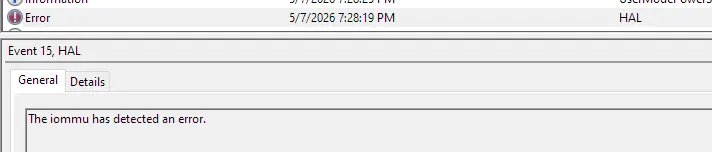
2026-05-24 09:25PM
It happened again, just now. There was no GPU load. I was playing a videogame earlier just fine. This time it was right after opening the LM Studio window (i.e. not even launching it, it was working in the background with no models loaded).
When the driver recovered, this is what I saw. 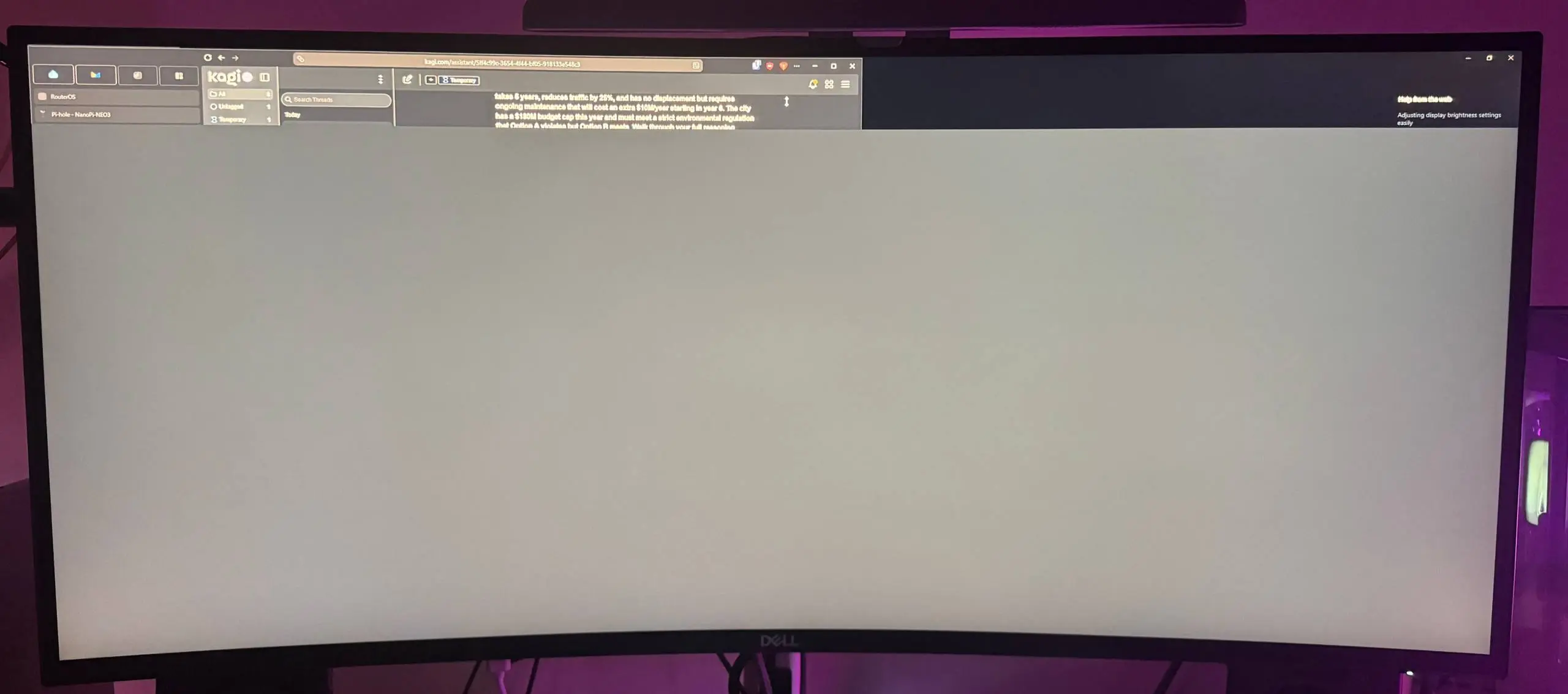
The interesting thing is, that the sliver on top was functional:
My Radeon RX6750XT is doing weird shit. pic.twitter.com/ip7ciC6sQQ
— Paul (hxii) 🇺🇦 (@paulglushak) May 24, 2026
CTRL + ALT + DEL opened the respective screen, but the gray rectangle of impending doom was still above. The only thing helped was restarting the system, once again.
Event Viewer shows the same errors as before.