
Important
This article will be constantly updated with new solutions and improvements to existing solutions that I implement for myself.
Note
The automations below require some hardware (sensors, zigbee radio) and software (Home Assistant), but can probably achieved with other combinations. Adapt the logic to your needs and constraints!
As I'm sure I wrote before – I have ADHD, which comes with a unique set of benefits, but also a fucking mountain of challenges. It is also the catalyst and driving force behind a large chunk of my personal projects.
And so, as part of my never-ending pursuit for improving and streamlining as much of my daily life as possible, I decided to try and tackle some of those annoying tasks that most of us (yes, even people that don't have "a little bit of ADHD") just tend to forget to do.
Automatic
Reminding me to cleaning the cats' litter-box
Note
This can, and probably should, be further improved to complete existing tasks for example, instead of having to complete them manually.
- Hardware – Zigbee door/window sensor (magnetic reed switch or hall effect)
- Software – Todo app with an API integration in HomeAssistant
The principle of this automation, which actually has two parts, is both create a reminder that is based on completion date and nag me in case I forgot to remove the bio-hazard waste.
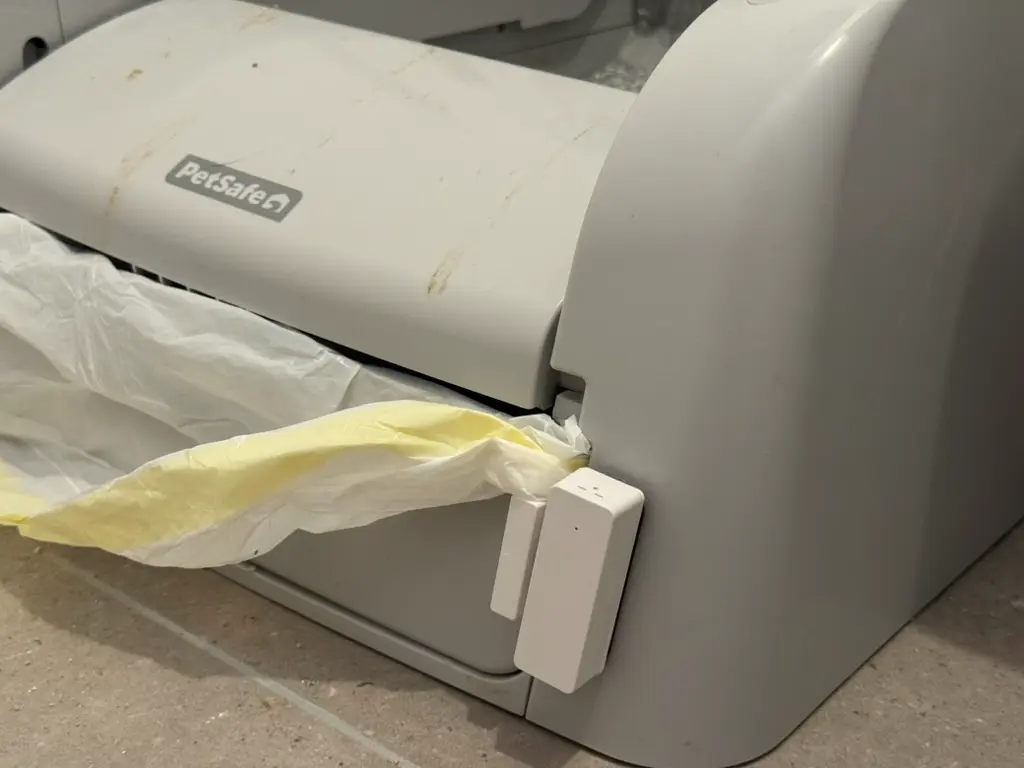
The magic is achieved by placing the magnetic switch on the drawer of the litter-box, which you ideally will only open when performing maintenance on the feline waste container.
Reminding me to take my meds
Note
Due to the configuration oddities of the sensor, fine-tuning this automation may be more difficult than necessary. But with some extra logic you'll be able to do it!
I often forget to take my meds in the morning, especially with how hectic some mornings may be, and even though my phone gently nudges me to take the meds at 8:35AM (and then punches me in the ribs yells much louder at 9:15AM), I will still forget to do so.
So I came up with a solution through HomeAssistant to keep annoying me until I take my meds.
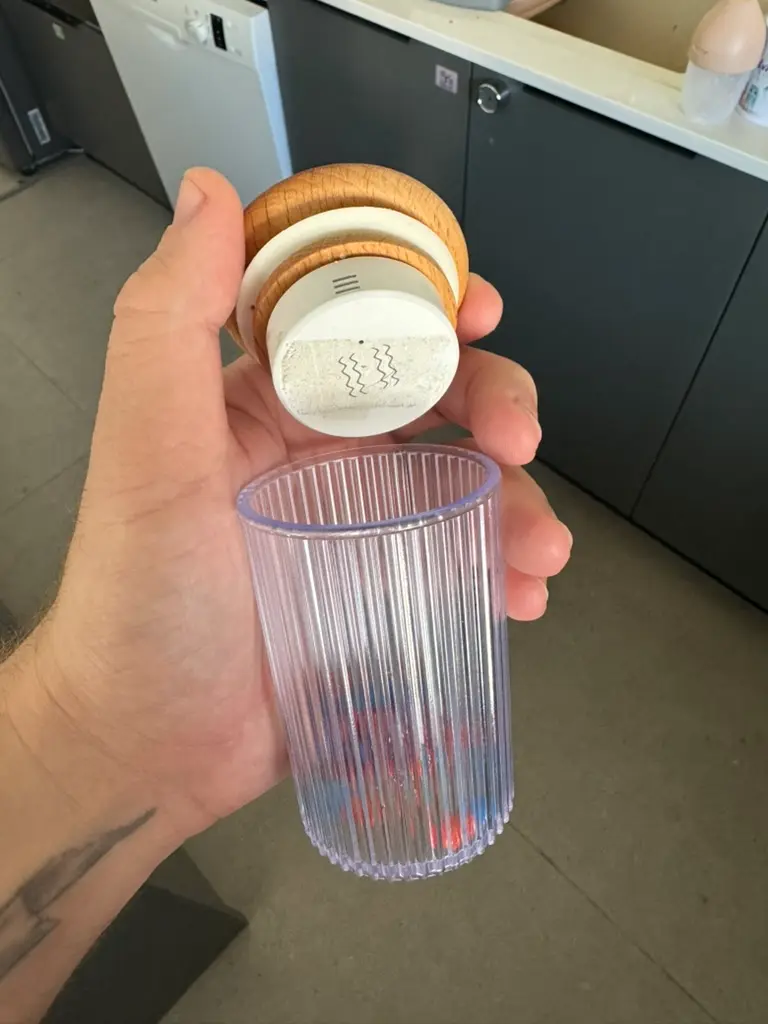 #### Hardware Requirements - Vibration sensor that can report XYZ or tilt and can comfortably fit in/on your jar - A jar or a box that can safely store medicine
The Setup
- Create a Input Boolean helper in helpers. I called mine
Paul Meds Takenand gave it themdi:pillicon - Create a reset Automation in automations. The gist is to reset the boolean at midnight
alias: Reset Meds Taken Status
description: >-
  Automatically reset the medication status to 'not taken' at midnight if it was
  marked as taken.
triggers:
  - trigger: time
    at: "00:00:00"
conditions: []
actions:
  - action: input_boolean.turn_off
    metadata: {}
    data: {}
    target:
      entity_id: input_boolean.paul_meds_taken
mode: single
- Create a reminder Automation which will constantly nag you to take your meds, until the boolean you created earlier is set as
true.Note
For my automation, I also included the phone location, as if I'm not home (which is where the drugs are) there's no reason to constantly nag me.
alias: "Reminder to Take Meds"
description: Automatically reminds Paul to take his medications every hour if not done by 12 PM.
triggers:
  - trigger: time_pattern
    hours: /1 #Reminder every hour
conditions:
  - condition: and
    conditions:
      - condition: time
        after: "08:00:00"
        before: "12:00:00"
      - condition: state
        entity_id: input_boolean.paul_meds_taken
        state:
          - "off"
      - condition: zone
        entity_id: person.paul
        zone: zone.home_city
actions:
  - action: notify.mobile_app_phoney
    metadata: {}
    data:
      message: 💊 TAKE YOUR MEDS
      title: 💊 TAKE YOUR MEDS
mode: single
- Create an Automation to indicate you've taken your government-issued brain medication.
Note
Note the zone check in this automation. It's there to prevent turning the automation off by mistake in case my wife decides to pick up the happiness jar.
alias: Paul – Cancel Medication Reminder
description: >-
  This automation activates when the medbox lid is tilted and sets
  the helper as true meaning meds taken.
triggers:
  - trigger: state
    entity_id:
      - binary_sensor.medbox_vibration_sensor_tilt
    from:
      - "off"
    to:
      - "on"
    for:
      hours: 0
      minutes: 0
      seconds: 3
conditions:
  - condition: and
    conditions:
      - condition: time
        after: "07:00:00"
      - condition: state
        entity_id: input_boolean.paul_meds_taken
        state:
          - "off"
      - condition: zone
        entity_id: person.paul
        zone: zone.home_city
actions:
  - action: input_boolean.turn_on
    metadata: {}
    data: {}
    target:
      entity_id: input_boolean.paul_meds_taken
  - action: notify.ntfy_home
    metadata: {}
    data:
      title: MedBox
      message: Paul took his meds
mode: single
Wife's Version
I ended up being able to convince my wife to allow me to create a similar automation for her, as she also seldom forgets to partake in the medicinal journey, albeit with her own pills. She however, did not want to put her medication in a small jar with a vibration sensor glued to it, so I proposed a different solution for her. The principle is the same to the one I use, but the activation is different.
- Wife forgets to take her medication
- A notification is being broadcast through NTFY as well as the living room smart speaker
- Wife scans an NFC Tag which runs a iOS Shortcuts Automation
- The automation pens the Health app on the Medication view and executes a HomeAssistant Automation which sends a NTFY notification and sets the Input Boolean to true
Interaction Based
Reminding me to buy cat food and litter
Hardware Requirements
- Any Zigbee button connected to HomeAssistant
The Setup
I realized I often forget to make sure I add cat litter or food when cleaning their litterbox or putting food for them (the containers are located near each other).
You could theoretically over-engineer this using a weight sensor, but I honestly couldn't be bothered.
My solution? An IKEA Tradfri button with a sticker on it! 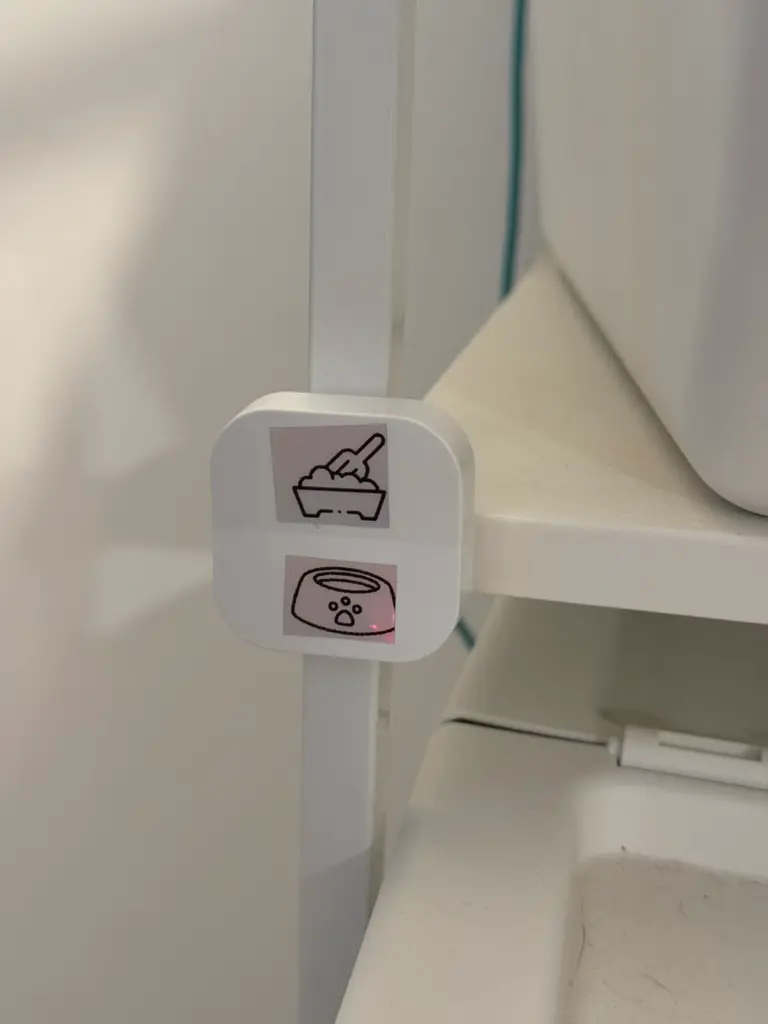
The button is connected to HomeAssistant, and with the help of Switch Manager they create a new Todoist task and send a notification to a specific channel using NTFY.
As YAML, it looks like this:
- action: todoist.new_task
  metadata: {}
  data:
    project: Home
    content: Buy Cat Sand
    priority: 2
    due_date_string: tomorrow 9am
- action: notify.ntfy_home
  metadata: {}
  data:
    title: 😾 Cat Sand
    message: We need to buy cat sand!
Will this stop me from forgetting? Probably not. But it does help now that there is less "resistance" when creating the reminder.
Important Shopping List
Warning
This is an experimental automation, and did not get the WIFE SEAL OF APPROVAL™.
The Idea
The point here was to prioritize certain items on the shopping list above other, and to make sure I get whatever is important when I go out on errands that are not necessarily shopping.
Firstly, a couple of notes: 1. This was made for iOS Shortcuts, but the logic can probably be adapted to Android as well 2. This also requires a manual interaction – changing the priority on a shopping list item to high
The Flow
- The shortcut runs using an automation based on "When CarPlay connects"
- The shortcut finds all reminders for the
Shoppinglist where the priority is set ashighand the item is not completed - Then it checks if any reminders are returned, and creates a message that looks something like
We really need to buy <items[0:-2]> and <items[-1]>– so basically connecting all the items except the last one with a,and then adding the last item asand <last_item>. - The shortcut then plays a sound, and displays the message on the screen.
Note
Take note that the iOS Shortcut shared below shows a message, rather than speaking out the list. You can easily change it to do just that.
Link to Shortcut: Shortcuts